





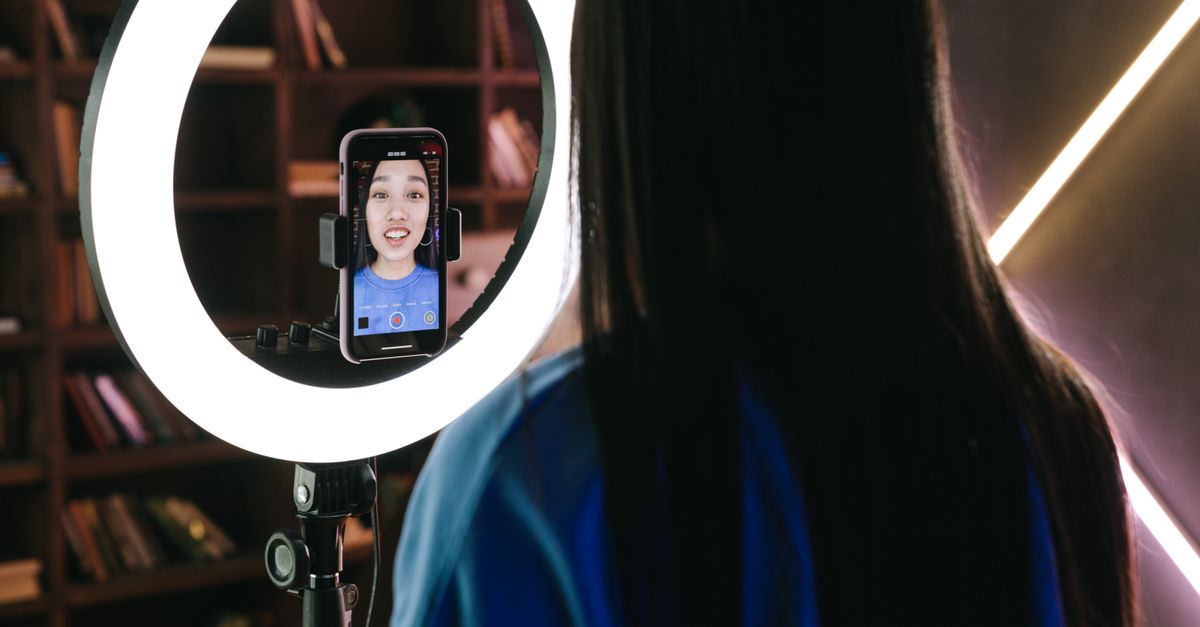
If you spend your days broadcasting to an online audience, whether it’s gaming, tutorials, or daily vlogs, the phone you choose can make a huge difference. In 2026, the line between a decent stream and a professional broadcast blurs, but a few key factors still separate the good from the great. This guide walks you through the most important specs, real‑world trade‑offs, and budget‑friendly options so you can pick a phone that delivers reliable, high‑quality streams every time.
1. Understanding the Core Needs of Live Streaming
Live streaming is a demanding activity that pulls from almost every hardware component. A robust camera, clear audio, a fast processor, and reliable connectivity are all essential. The first step is to map your streaming goals: Are you broadcasting 4K video? Do you need multiple audio sources? Are you streaming from a mobile hotspot or a stable Wi‑Fi network? Answering these questions helps you prioritize the features that matter most.
2. Camera Quality and Features
Video quality is the most obvious requirement. Look for phones that offer a high‑resolution sensor, optical image stabilization (OIS), and a fast lens aperture (f/1.8 or lower). In addition, consider:
- Software support: Phones that expose RAW capture and offer real‑time image processing can give you more flexibility in post‑stream editing.
- Frame rates: A minimum of 60fps at 1080p is essential for smooth motion. If you plan to stream 4K, check that the phone supports 30fps at 4K or higher.
- Low‑light performance: A larger sensor or wider aperture helps maintain quality in dim environments, which is common during evening streams.
Choosing Between Dual‑Lens and Single‑Lens Systems
Dual‑lens setups typically combine a wide and a telephoto or macro sensor. While they offer versatility, they can introduce stitching artifacts when streaming live. Single‑lens phones with a large sensor and advanced computational photography often provide cleaner results and lower latency, which is crucial when you’re live.
3. Audio Capabilities: The Voice of Your Stream
Audio is just as important as video. A clear, distortion‑free voice keeps viewers engaged. Key audio features include:
- Dual‑mic arrays: Two microphones can cancel background noise and improve voice pickup, especially when you’re moving.
- Low‑latency audio: Some phones introduce a delay between the microphone and the video feed, which can desynchronize your stream. Look for models that advertise low audio latency.
- External mic support: If you plan to use a lapel or shotgun mic, ensure the phone has a compatible port or a reliable wireless adapter.
Built‑in vs. External Microphones
While built‑in microphones are convenient, external mics often deliver better clarity. Many creators use a USB‑C or Lightning adapter to connect a professional mic. Make sure the phone’s operating system and streaming app support audio routing to external devices.
4. Processor and RAM: Smooth Performance Under Pressure
Streaming demands real‑time encoding, which is CPU‑heavy. A powerful chipset and ample RAM prevent frame drops and lag. Consider:
- CPU cores: A 8‑core or higher configuration can handle encoding and background apps simultaneously.
- GPU performance: Some streaming apps use GPU acceleration for encoding; a strong GPU can reduce CPU load.
- RAM: 8GB is the baseline; 12GB or more offers headroom for multitasking and high‑resolution streaming.
Thermal Management
Extended streaming can heat the device. Phones with efficient cooling systems,such as vapor chambers or liquid cooling,maintain performance over longer sessions. If you stream for several hours, a phone that throttles less will keep the stream stable.
5. Connectivity and Network: The Backbone of a Stable Stream
A stable internet connection is the lifeline of any live stream. Key networking features include:
- 5G support: 5G offers higher bandwidth and lower latency than 4G. For mobile streaming, a phone with both sub‑6GHz and mmWave support gives flexibility.
- Wi‑Fi 6E: If you stream from a fixed location, Wi‑Fi 6E provides faster speeds and less interference.
- Network bonding: Some apps allow you to combine Wi‑Fi and cellular data for redundancy. Verify that the phone’s firmware supports this feature.
Signal Strength and Quality of Service
Even a high‑bandwidth network can fail if the signal is weak. Phones that provide advanced antenna designs and support for multiple bands reduce dropouts. Additionally, check if the streaming app can prioritize bandwidth for video over background traffic.
6. Battery Life and Charging: Keep the Stream Going
Long streams drain the battery quickly. Look for phones that offer:
- High capacity batteries: 4,000mAh or larger is recommended for 4‑hour streams.
- Fast charging: 30W or higher ensures you can top up quickly between streams.
- Battery optimization for streaming: Some phones include a “streaming mode” that disables background processes and reduces power consumption.
Power Management Apps
Third‑party battery managers can extend runtime by limiting background data usage. Pairing a power bank with a fast‑charge cable can keep you online during multi‑day events.
7. Storage and Expansion: Room for Apps, Media, and Backups
Streaming apps, video editing software, and high‑resolution footage consume storage fast. Key points:
- Internal storage: 128GB is the minimum; 256GB or more is ideal for heavy users.
- Expandable storage: MicroSD support is rare in flagship phones but can be a lifesaver for budget models.
- Cloud integration: Seamless cloud backup ensures you never lose a stream or a video file.
8. Software and App Ecosystem: Compatibility Matters
The phone’s operating system and app support can make or break your streaming workflow. Consider:
- Streaming apps: Popular platforms like OBS, Streamlabs, and Twitch Mobile require specific APIs for smooth performance.
- Camera apps: Advanced camera apps can expose manual controls, RAW output, and bitrate settings that are critical for professional streams.
- System updates: Regular firmware updates can fix bugs and improve stability, which is crucial for live broadcasts.
Open‑Source vs. Proprietary Software
Open‑source solutions often provide more customization but may need more technical know‑how. Proprietary apps can be easier to set up but might lock you into a particular ecosystem. Choose based on your comfort level with software tweaking.
9. Design and Ergonomics: Comfort During Long Sessions
Streaming can be a marathon. A phone that feels comfortable to hold and operates smoothly reduces fatigue:
- Form factor: A slightly larger screen (6.5-7 inches) provides better control over streaming apps.
- Button placement: Dedicated volume or mute buttons can be handy during live sessions.
- Heat dissipation: A lightweight design with good ventilation helps keep the device cool.
10. Price vs. Value: Finding the Sweet Spot
High‑end phones deliver top performance but come with steep price tags. Mid‑range phones can offer comparable features at a fraction of the cost. To assess value, compare the following:
- Feature parity: Does the cheaper model provide the same camera, audio, and battery performance?
- Future‑proofing: Will the phone receive software updates for at least 3-4 years?
- Resale value: Some brands hold value better; this can be a consideration if you plan to upgrade every few years.
11. Common Mistakes to Avoid When Choosing a Streaming Phone
- Overlooking audio quality: A great camera does not compensate for a noisy voice.
- Ignoring network performance: 5G alone is not enough if the phone’s antenna design is poor.
- Choosing the cheapest option: Budget phones often lack reliable cooling or sufficient RAM for prolonged streaming.
- Neglecting battery considerations: A phone that drains in 30 minutes will ruin a long stream.
12. Bottom Line: Which Phones Lead the Pack in 2026?
Below is a high‑level comparison of the most popular phones for live streaming. The table lists the primary strengths of each model based on industry consensus and user feedback.
| Brand / Model | Camera Strength | Audio Strength | Processing Power | Connectivity | Battery & Charging | Price Tier |
|---|---|---|---|---|---|---|
| Samsung Galaxy S24 Ultra | High‑resolution sensor, OIS, 4K 60fps | Dual‑mic array, low‑latency audio | Octa‑core CPU, strong GPU | 5G, Wi‑Fi 6E, network bonding support | Fast charging, large battery | Flagship |
| Apple iPhone 15 Pro Max | Excellent color accuracy, 4K 60fps, HDR | Spatial audio support, dual‑mic | High‑performance A17 chip | 5G, Wi‑Fi 6E, seamless network integration | Fast charging, optimized battery life | Flagship |
| Google Pixel 8 Pro | RAW capture, computational photography | Dual‑mic, excellent noise cancellation | Strong CPU, efficient GPU | 5G, Wi‑Fi 6E, robust network stack | Solid battery, fast charging | Flagship |
| OnePlus 12 Pro | Balanced camera system, good low‑light | Dual‑mic, low‑latency audio | High‑performance chipset, large RAM | 5G, Wi‑Fi 6E, good network handling | Fast charging, large battery | Upper‑mid |
| Xiaomi 14 Pro | High‑resolution sensor, OIS | Dual‑mic, decent audio | Powerful CPU, efficient GPU | 5G, Wi‑Fi 6E | Fast charging, large battery | Mid‑range |
| OnePlus Nord 3 | Decent camera, 1080p 60fps | Dual‑mic, acceptable audio | Mid‑range CPU, adequate GPU | 5G, Wi‑Fi 6 | Fast charging, moderate battery | Budget |
These phones represent a spectrum of price points and feature sets. If you’re a beginner, a mid‑range model like the Xiaomi 14 Pro or OnePlus Nord 3 can deliver solid performance without breaking the bank. For professional creators who need the best camera, audio, and processing power, flagship options such as the Samsung Galaxy S24 Ultra or Apple iPhone 15 Pro Max remain the top choices.
Conclusion: Your Path to Seamless Live Streams
Choosing the right smartphone for live streaming involves balancing several critical factors: camera quality, audio clarity, processing power, connectivity, battery endurance, and budget. By prioritizing the features that align with your streaming style and environment, you can avoid common pitfalls and ensure that your broadcasts look and sound professional.
Remember that the best phone for you is the one that fits your workflow, supports your preferred apps, and stays within your financial constraints. Test a few models if possible,many retailers offer demo units or return policies that allow you to try the device in real‑world streaming conditions. With the right phone in hand, you’ll be ready to capture your audience’s attention and deliver content that stands out in 2026 and beyond.
Leave a comment