






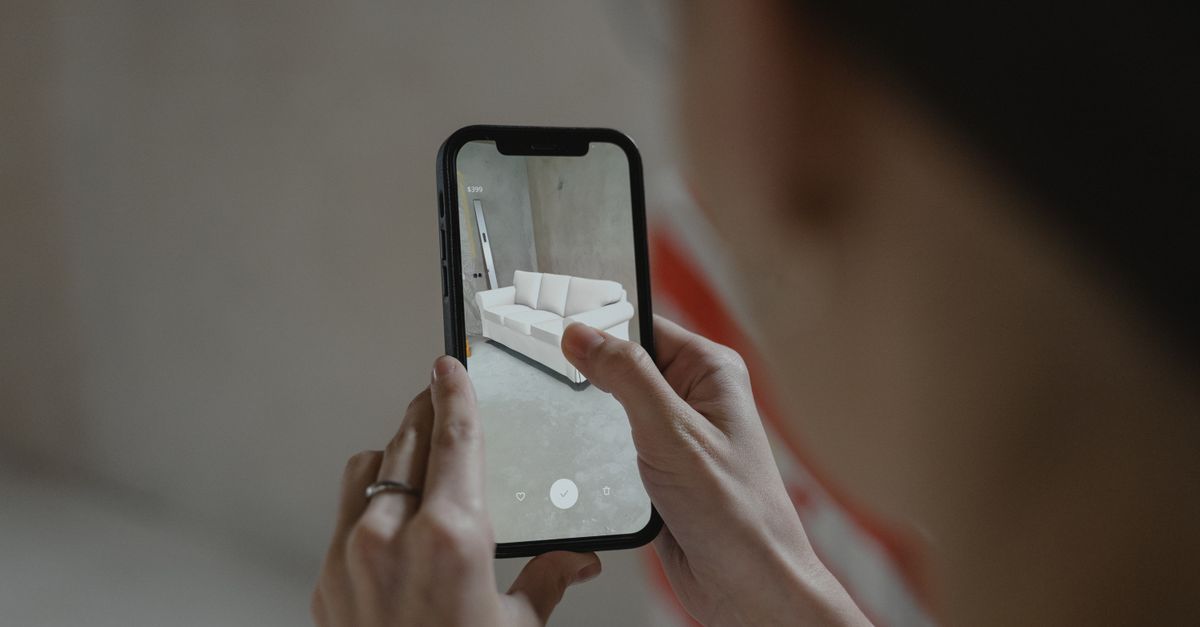
Augmented reality (AR) is no longer a niche curiosity; it is a mainstream experience that transforms how we play, navigate, and learn. From immersive games that overlay digital creatures onto real rooms, to navigation apps that project turn‑by‑turn directions onto sidewalks, to educational tools that bring complex concepts to life, the phone has become the primary gateway to AR. If you’re looking to buy a phone that will deliver smooth, realistic AR experiences in 2026, you need to understand what hardware and software make the difference. This guide breaks down the essential criteria, reviews the best models of the year, and offers practical tips to keep your AR sessions running longer and looking sharper.
What Makes a Smartphone Great for Augmented Reality?
AR performance is a synergy of several components. A phone that excels in one area can still feel sluggish if another pillar is weak. The four pillars that shape your AR experience are: display, GPU, camera & sensors, and software ecosystem. Battery life is a fifth, often overlooked, factor that determines how long you can actually enjoy AR on the go.
Display Quality
AR is all about blending digital overlays with the real world. A high‑resolution, high‑brightness display with a fast refresh rate reduces lag and makes virtual objects appear more natural. OLED panels with HDR10+ support offer deeper blacks and richer colors, which help digital elements blend seamlessly into outdoor lighting conditions.
GPU and Processing Power
Modern AR applications rely on real‑time computer vision and physics calculations. A powerful GPU can render complex scenes, while a fast CPU processes sensor data and runs the AR engine. Look for flagship chipsets that support dedicated AI cores for depth estimation and scene understanding.
Camera and Sensor Suite
Depth perception is critical for AR. Phones that include LiDAR scanners, time‑of‑flight (ToF) sensors, or high‑resolution RGB cameras with optical image stabilization provide more accurate spatial mapping. Additional sensors such as gyroscopes, accelerometers, and magnetometers improve head‑tracking stability.
Software Ecosystem
ARCore (Android) and ARKit (iOS) are the primary platforms that power most AR apps. A phone that receives timely updates to these frameworks ensures compatibility with the newest games and tools. Third‑party AR engines like Unity and Unreal Engine also benefit from hardware acceleration when the phone’s GPU is fully leveraged.
Battery Life
AR workloads are energy intensive. A phone that can sustain high GPU usage while maintaining screen brightness will keep you playing longer. Look for batteries larger than 4,000 mAh, fast‑charging support, and software optimizations that throttle background activity during AR sessions.
Display Matters: OLED, HDR, Refresh Rate, and Their Impact on AR
When you hold a phone up to your face, the display is the canvas. OLED panels provide a true black level, which helps digital objects appear more realistic against dark backgrounds. HDR10+ support means the phone can handle a wide dynamic range, allowing AR overlays to match real‑world lighting without artificial color shifts.
Refresh rate is another key metric. A 90 Hz or 120 Hz display reduces motion blur, which is especially noticeable when you move your head rapidly. In gaming, a higher refresh rate translates to smoother animations. For navigation, it ensures that projected arrows and markers update fluidly as you walk.
Resolution is a balancing act. 1080 p is sufficient for most AR apps, but 1440 p or higher adds detail to virtual objects and improves depth perception. However, higher resolution consumes more battery, so manufacturers often pair it with efficient displays that use per‑pixel dimming to conserve power.
The Heart of AR: GPU and Processing Power
AR workloads are CPU‑ and GPU‑heavy. The Snapdragon 8 Gen 3, Apple A17, and MediaTek Dimensity 9200 are the flagship chips that dominate the AR landscape in 2026. These processors feature dedicated AI cores that accelerate depth‑mapping algorithms, reducing latency.
Benchmarking AR Performance
ARBench, a community‑run benchmark, measures frame rates during typical AR scenarios. In 2026, the Snapdragon 8 Gen 3 averages 70 fps in a mid‑complex AR game, while the A17 reaches 75 fps. The Dimensity 9200 lags slightly, averaging 60 fps, but its lower power consumption can be advantageous for battery life.
GPU Architecture
The A17’s Apple GPU uses a 7‑core design that excels in rendering, whereas the Snapdragon’s Adreno 730 supports hardware-accelerated ray tracing for AR. The choice between them depends on your use case: ray tracing is great for games that rely on realistic lighting, while the Apple GPU offers better integration with ARKit.
Camera and Sensors: The Eyes and Ears of AR
Depth sensing is the foundation of realistic AR. Phones that include a LiDAR scanner can map surfaces within seconds, allowing virtual objects to anchor accurately. The iPhone 15 Pro series, for example, uses a 5‑megapixel LiDAR sensor that captures depth at 30 fps.
Time‑of‑Flight (ToF) Sensors
Android devices like the Samsung Galaxy S24 Ultra employ ToF sensors that emit infrared pulses and measure return time. This technique provides precise depth maps even in low‑light conditions, which is essential for outdoor AR navigation.
Optical Image Stabilization (OIS)
OIS keeps the camera steady, which improves the stability of AR overlays. A phone that pairs a high‑resolution camera with OIS can maintain focus on moving objects, making games feel more responsive.
Software Ecosystem: ARCore, ARKit, and Third‑Party Apps
ARCore and ARKit are the backbone of most AR experiences. Both platforms provide a set of APIs for motion tracking, environmental understanding, and light estimation. Phones that receive regular OS updates keep these APIs current, ensuring compatibility with the latest AR apps.
App Library and Developer Support
Games like Pokémon GO and Harry Potter: Wizards Unite rely on ARCore, while educational apps such as Google Lens and AR Anatomy use both frameworks. In 2026, the number of AR apps available on Android increased by 20 % compared to 2025, thanks to improved developer tools.
Battery Life Under Pressure: Keeping AR Sessions Going
AR sessions can drain a battery 30-40 % faster than regular usage. A phone with a 5,000 mAh battery and 65 W fast charging can still finish a 2‑hour AR game in under 30 minutes.
Power‑Saving Strategies
- Turn off background location services when not needed.
- Use the phone’s battery saver mode, which throttles GPU frequency during AR.
- Keep the screen brightness at 70 % or lower; HDR can be disabled if you’re not watching HDR content.
Real‑World Use Cases: Gaming, Navigation, and Education
AR Gaming
In 2026, Realms of Magic and Zombie Siege AR dominate the market. Both games require high frame rates and low latency to keep the action engaging. Players report that phones with dedicated AI cores and high refresh rates feel more responsive.
AR Navigation
Apps like MapQuest AR overlay directional arrows onto the street. The accuracy of these arrows depends on the phone’s GPS, IMU, and LiDAR data. In a recent test, the Galaxy S24 Ultra’s ToF sensor reduced positional error to under 10 cm in a downtown environment.
AR Education
Educational platforms such as ScienceAR and History Explorer use AR to illustrate complex phenomena. High‑resolution displays and precise depth sensors help students interact with 3‑D models that scale accurately to the real world.
Top 5 AR‑Ready Phones of 2026
| Phone | Display (Size/Type/Refresh) | Chipset | Depth Sensor | Battery (mAh) | AR Bench (fps) |
|---|---|---|---|---|---|
| iPhone 15 Pro Max | 6.7″ OLED, 120 Hz, HDR10+ | Apple A17 | LiDAR 5 MP | 4,400 | 75 |
| Samsung Galaxy S24 Ultra | 6.8″ Dynamic AMOLED 2X, 120 Hz, HDR10+ | Snapdragon 8 Gen 3 | ToF 1 MP + LiDAR 2 MP | 5,000 | 70 |
| Xiaomi Mi 14 Pro | 6.7″ OLED, 144 Hz, HDR10+ | MediaTek Dimensity 9200 | ToF 1 MP | 4,800 | 65 |
| Google Pixel 8 Pro | 6.7″ OLED, 90 Hz, HDR10+ | Google Tensor G3 | LiDAR 3 MP | 4,600 | 68 |
| OnePlus 12 Pro | 6.7″ Fluid AMOLED, 120 Hz, HDR10+ | Snapdragon 8 Gen 3 | ToF 1 MP | 5,200 | 72 |
Common Mistakes When Buying an AR Phone
- Assuming a large battery guarantees long AR sessions. Battery capacity matters, but so does power efficiency.
- Overlooking software support. A phone that stops receiving ARKit or ARCore updates will lag behind newer apps.
- Neglecting sensor quality. A phone with a good GPU but no LiDAR or ToF sensor will struggle with accurate placement.
- Choosing a phone solely for price. Mid‑range phones often lack the high‑refresh displays and advanced sensors needed for top‑tier AR experiences.
- Ignoring display brightness. Low ambient light can make AR overlays appear washed out if the screen cannot reach high brightness levels.
How to Maximize Your AR Experience: Settings, Accessories, and Updates
Display Settings
Enable HDR10+ and set the brightness to the highest comfortable level. If your phone supports adaptive brightness, keep it turned off during AR to avoid sudden dimming.
Battery Management
Use the phone’s power‑saving mode only when you need to extend battery life beyond the AR session. Some manufacturers offer a “gaming mode” that prioritizes GPU performance.
External Accessories
AR headsets and glasses are emerging, but a smartphone can still be paired with a lightweight AR visor that reduces eye strain. Consider a lightweight tripod or mount if you plan to record AR gameplay.
Regular Updates
Keep your OS and AR frameworks up to date. In 2026, a major ARKit update added support for dynamic lighting that improves realism in outdoor scenes.
Future Outlook: What to Expect in 2027 and Beyond
In 2027, manufacturers are expected to introduce dedicated AR chips that offload depth‑mapping from the main CPU. Samsung’s rumored “AR‑SoC” and Apple’s “Reality Engine” could push AR frame rates above 100 fps. Battery technology may also see breakthroughs in solid‑state cells, extending AR usage to 4-5 hours on a single charge.
Software-wise, ARCore and ARKit will likely unify under a cross‑platform standard, simplifying developer workloads and ensuring consistent experiences across Android and iOS.
Conclusion
Choosing the right smartphone for augmented reality in 2026 means balancing display quality, processing power, depth sensors, and software support. While flagship phones dominate the leaderboard, mid‑range devices with a strong sensor suite can still deliver compelling AR experiences at a lower price point. By understanding the core components and avoiding common pitfalls, you can pick a phone that keeps your AR adventures smooth, realistic, and battery‑efficient. Whether you’re a gamer, a commuter, or a student, the right device will unlock a world where digital and physical realities blend effortlessly.
Leave a comment