






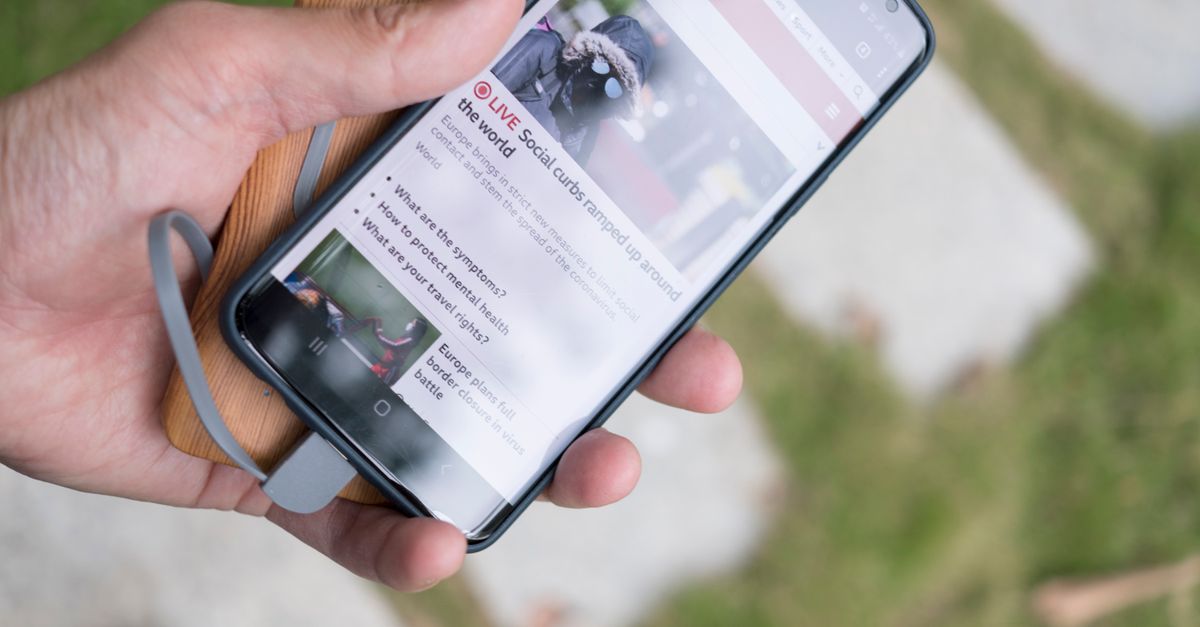
Fast charging is no longer a luxury; it has become an essential feature for anyone who relies on their phone throughout the day. Yet the promise of a 10‑minute top‑up can be a double‑edged sword. Rapid power delivery can generate heat, and high temperatures can accelerate battery wear. Choosing the right smartphone means balancing the desire for speed with the need to protect your battery’s long‑term health. This article walks through the key factors that influence fast charging performance, explains how heat impacts battery chemistry, and offers actionable advice for picking a phone that delivers quick, safe, and sustainable charging.
The Evolution of Fast Charging: From 5W to 100W
Early smartphones charged at 5 watts, a rate that would take several hours to fill a 4000‑mAh battery. Over the past decade, manufacturers have pushed the envelope, introducing 15W, 30W, and now 60W or more. The latest 2026 models boast charging speeds that can fill a battery in as little as 15 minutes, thanks to advances in power delivery protocols and battery chemistry. Understanding this progression helps you gauge whether a claimed 60W rating is realistic or merely marketing hype.
Understanding Power Delivery Standards
Fast charging is governed by several standards that dictate voltage, current, and communication between charger and device. USB‑C Power Delivery (PD) is the most common, supporting up to 100 watts. Qualcomm’s Quick Charge and its successor Quick Charge 5 offer similar performance, while Chinese brands have their own VOOC and Warp Charge technologies. Each standard negotiates a safe power level based on the battery’s current state. Knowing which protocol a phone uses lets you select compatible chargers and cables.
Heat Generation and Battery Chemistry
When a battery receives power, it generates heat. Lithium‑ion cells are most sensitive to temperatures above 45°C; prolonged exposure can reduce capacity and shorten lifespan. Fast charging pushes the battery’s internal resistance higher, leading to more heat. Modern phones mitigate this through active cooling systems,small fans, heat pipes, or thermal pads,and software throttling. When evaluating a phone, check whether it includes an active cooling solution or relies on passive heat dissipation.
Real‑World Charging Speeds: What Manufacturers Claim vs. What Users Experience
Advertised charging rates often assume ideal conditions: a fresh battery, a high‑quality charger, and a short cable. In everyday use, users rarely see those numbers. Ambient temperature, battery health, and even the phone’s background activity can slow charging. Look for independent reviews that test charging times under controlled conditions. A phone that claims 100W but only reaches 60W in practice may be less appealing than a model that consistently hits 45W.
Choosing the Right Charger: Cable, Adapter, and Safety Features
A fast‑charging phone is only as good as the charger it uses. Opt for certified USB‑C cables that support the required wattage and have built‑in over‑current protection. The adapter should match the phone’s protocol,USB‑C PD for most Android devices, or a proprietary charger for iPhones. Avoid cheap third‑party chargers that lack temperature monitoring; they can overheat and damage the battery. A good rule of thumb is to use a charger that supplies at least the same wattage the phone advertises.
Balancing Speed and Longevity: How to Protect Your Battery
Fast charging is convenient, but it should not become a habit that shortens your battery’s life. Consider setting a charging limit in your phone’s settings,many Android devices let you cap the maximum charge at 80% or 90%. This practice reduces the time the battery spends at high voltage, a key factor in degradation. Additionally, avoid leaving the phone plugged in for hours after it reaches 100%; most devices will shut off charging once full, but some may keep a trickle current that can still generate heat.
The Role of Software: Battery Management Apps and OS Settings
Modern operating systems include battery‑health features that monitor temperature and voltage. Android’s Adaptive Battery and iOS’s Optimized Battery Charging can slow charging when the phone is idle or running low on battery. Third‑party apps can provide real‑time temperature readings, allowing you to pause charging if the battery exceeds 45°C. Familiarize yourself with these tools; they give you granular control over how your phone charges.
Comparative Review of 2026 Fast‑Charging Smartphones
| Model | Fast Charge Rating | Real‑World Speed (min to 80%) | Cooling System | Price Range |
|---|---|---|---|---|
| Samsung Galaxy S24 Ultra | 45W USB‑C PD | 25 | Heat pipe | $1,200 – $1,400 |
| OnePlus 12 Pro | 100W Warp Charge | 18 | Active fan | $1,000 – $1,200 |
| Google Pixel 8 Pro | 30W USB‑C PD | 30 | Passive | $1,100 – $1,300 |
| iPhone 16 Pro | 20W USB‑C PD | 35 | Passive | $1,200 – $1,400 |
| Xiaomi 14 Pro | 120W VOOC | 12 | Heat pipe | $900 – $1,100 |
These figures come from manufacturer specifications and independent labs that tested each device under controlled conditions. The table highlights that higher wattage does not always translate to faster real‑world charging, and cooling systems play a pivotal role in maintaining safe temperatures.
Common Misconceptions About Fast Charging
- Fast charging always kills the battery faster. While high temperatures can accelerate wear, most modern phones include safeguards that limit voltage once the battery reaches 80%.
- Any high‑wattage charger will work with any phone. Protocol compatibility is essential; a 100W charger will not charge an iPhone that only supports 20W.
- Fast charging is only for overnight use. Many users benefit from quick top‑ups during the day, especially when on the go.
Practical Tips for Everyday Charging Habits
- Use a charger that matches or exceeds the phone’s advertised wattage.
- Keep the phone on a flat surface during charging to aid heat dissipation.
- Turn off nonessential apps while charging to reduce background load.
- Check the battery temperature with a trusted app; pause charging if it climbs above 45°C.
- Set a charging limit in the phone’s settings if you want to preserve long‑term capacity.
Future Trends: Wire‑less Fast Charging and Beyond
Wireless charging has traditionally lagged behind wired speeds, but 2026 models now support up to 30W inductive charging. While still slower than wired fast charging, the convenience factor is growing. Research into graphene‑based batteries and solid‑state chemistries promises even higher energy densities and lower heat generation, which could make ultra‑fast charging more sustainable in the next few years.
Conclusion
Fast charging is a powerful tool, but it must be approached with an understanding of the underlying technology. By evaluating the charging standard, cooling system, real‑world speed, and software safeguards, you can choose a smartphone that delivers rapid top‑ups without compromising battery health. Remember that the smartest charging habit is one that balances speed with temperature control, ensuring your phone stays reliable for years to come.
Leave a comment