






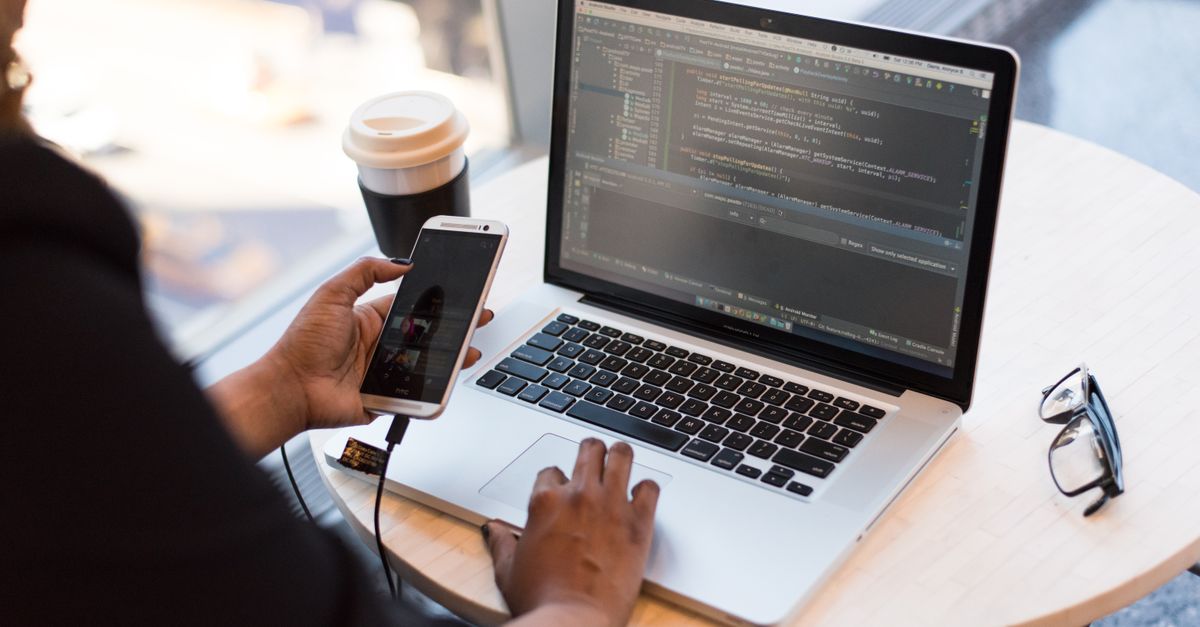
For most mobile developers, the phone you carry in your pocket is more than a communication device; it’s a portable laboratory, a test harness, and a collaboration hub. Whether you’re debugging a Flutter prototype, profiling an Android build, or running a remote Xcode session, the right smartphone can shave hours off your workflow and reduce frustration. In 2026, the market offers a dizzying array of options, from high‑end flagship models to budget‑friendly mid‑ranges, each with its own strengths and trade‑offs. This article explores the specific features that matter most to developers, compares the leading devices, and gives you a clear decision framework to match a phone to your daily tasks.
Why a Developer‑Focused Phone Matters
Developers often juggle multiple roles: coder, tester, designer, and sometimes product manager. A phone that supports rapid prototyping, quick debugging, and seamless collaboration can transform a fragmented workflow into a streamlined process. The key is to treat the device as a full‑featured development environment rather than a simple consumer gadget. Features like robust developer options, a powerful CPU, ample RAM, and fast, reliable connectivity become critical when you need to run emulators, compile code, or stream high‑resolution video from the device to a laptop. Conversely, a phone that feels sluggish or lacks proper tooling can become a bottleneck.
Core Hardware Features That Boost Development Workflows
Processor and RAM
Modern app builds, especially for Android, can demand several gigabytes of RAM and a multi‑core processor to compile in a reasonable time. The Snapdragon 8 Gen 3, Apple’s A17 Pro, and MediaTek Dimensity 9200 are the leaders in this space, offering 8-12 cores with high clock speeds. When evaluating a phone, look for at least 8 GB of RAM for Android and 6 GB for iOS, as this threshold tends to keep multitasking smooth. If you’re working with large projects or running multiple virtual devices, consider a model that supports 12 GB or more.
Display and Color Accuracy
Testing UI layouts, typography, and color schemes on a device that faithfully reproduces your design is essential. OLED panels with high brightness (500-700 nits) and wide color gamut (DCI‑P3 or sRGB) allow you to spot subtle differences. A 6.5‑inch or larger display gives you a comfortable canvas for debugging, while a higher refresh rate (120 Hz or more) can help you assess fluid animations. For cross‑platform work, a screen that supports HDR10 can be an advantage when previewing media content.
Storage and Expandability
Large app bundles and test data can quickly consume internal storage. A minimum of 256 GB is recommended, but 512 GB or more is ideal for heavy developers. While most flagship phones now omit microSD slots, some mid‑range models still support expandable storage. If you plan to keep multiple builds or large media libraries on the device, this can be a deciding factor.
Battery Life and Fast Charging
Long work sessions mean you need a battery that can last through multiple builds and debugging cycles. Look for 4500 mAh or larger capacities, coupled with fast charging (100 W or higher) to recover quickly. A 5‑day battery life is a reasonable benchmark for developers who often work on the road or in locations without reliable power outlets.
Software Ecosystem: Android vs iOS for Development
Android Development Tools
Android Studio, IntelliJ IDEA, and Visual Studio Code all integrate tightly with Android devices via the Android Debug Bridge (ADB). A robust developer phone should support USB‑C with high‑speed data transfer (USB‑4 or Thunderbolt 4) and expose ADB over Wi‑Fi for remote debugging. Many Android developers rely on custom ROMs or root access to test low‑level features, so having a device that allows unlocking the bootloader without voiding the warranty is a plus.
iOS Development Tools
Xcode is the primary IDE for iOS, and it requires a macOS machine to compile. However, many developers use iPhones for live previews, UI testing, and performance profiling. A phone with the latest iOS version, a powerful A17 Pro chip, and support for the latest ProMotion display technology ensures that you can run the newest SDK features. Additionally, the iPhone’s built‑in “Developer Mode” provides access to network debugging, performance metrics, and device logs.
Cross‑Platform Options
Frameworks like Flutter, React Native, and Xamarin require a device that runs both Android and iOS to test cross‑platform consistency. Dual‑boot or dual‑OS setups are not common, so many developers rely on two separate phones,one Android, one iOS. If you only have one device, choose a phone that runs the platform you most frequently target. For those who need to test both, a high‑end Android phone paired with a budget iPhone can be a cost‑effective solution.
Connectivity and Remote Collaboration
5G and Wi‑Fi 6E
Fast, low‑latency connections are essential when streaming logs, uploading builds, or collaborating in real time. 5G NR‑Advanced offers speeds up to 10 Gbps, which is more than enough for large data transfers. Wi‑Fi 6E adds a 6 GHz band that reduces congestion and improves throughput. A phone that supports both 5G and Wi‑Fi 6E will keep you connected in most environments.
Bluetooth and USB‑C
Bluetooth 5.2 or higher is useful for pairing wireless headphones, keyboards, or smartwatches, all of which can improve productivity. USB‑C with USB‑4 or Thunderbolt 4 support allows you to connect a high‑speed external SSD or a monitor for extended debugging sessions. Some developers use a portable monitor to view logs while coding; a phone that supports DisplayPort Alt Mode over USB‑C is a valuable feature.
Built‑In Collaboration Apps
Most developers rely on Slack, Microsoft Teams, or Zoom for communication. A phone that runs the latest versions of these apps smoothly, with support for screen sharing and high‑resolution video, is a must. Some manufacturers bundle collaboration tools in the OEM software layer; for instance, Samsung’s DeX mode turns a phone into a desktop‑like environment, which can be handy for quick edits or code reviews.
Developer Options and Customization
USB Debugging, ADB, Fastboot
Enabling USB debugging in the developer options is the first step to connect your phone to a laptop. Fastboot mode allows you to flash recovery images or custom kernels. Phones that expose these options without requiring a jailbreak or root are preferred. A clear menu in Settings → About Phone → Software Information → Build Number gives you easy access to developer mode.
Root Access, Custom ROMs
Rooting gives you full control over the OS, which is useful for low‑level testing or security research. Phones that support unlocking the bootloader with a simple command and provide a robust recovery image (e.g., TWRP) are ideal. However, rooting often voids warranties, so weigh the benefits against the risk.
Dual‑SIM and Work‑Personal Separation
Many developers travel or work from multiple locations. Dual‑SIM support allows you to keep a personal line separate from a work line, ensuring that calls or messages don’t interfere with development time. Some phones also offer “Work Profile” or “Dual Apps” features to duplicate applications with separate data stores.
Portability and Ergonomics
Size, Weight, and Handedness
A phone that feels comfortable in your hand while you code or debug is essential. A 6.5‑inch display is often a sweet spot: large enough for detailed UI work but small enough to hold in one hand for extended periods. Weight should ideally stay below 200 g to reduce fatigue. For left‑handed users, consider phones with a left‑handed menu layout or a side‑switch that can be flipped.
Keyboard and External Display Support
Some developers use a Bluetooth keyboard or a USB‑C keyboard dock. A phone that supports external keyboards via USB‑C or Bluetooth 5.2 can significantly speed up coding tasks. Additionally, the ability to output video to an external display via DisplayPort Alt Mode allows you to view logs or run a terminal on a larger screen.
Top Developer‑Friendly Smartphones of 2026
iPhone 15 Pro
- Processor: A17 Pro (6‑core)
- RAM: 6 GB
- Storage: 128-512 GB
- Display: 6.1‑inch OLED, 120 Hz, 1000 nits
- Battery: 3500 mAh, 100 W fast charge
- Developer Features: USB‑C, ADB over Wi‑Fi, Xcode integration
Samsung Galaxy S24 Ultra
- Processor: Snapdragon 8 Gen 3
- RAM: 12 GB
- Storage: 256-512 GB
- Display: 6.8‑inch Dynamic AMOLED, 120 Hz, 1200 nits
- Battery: 5000 mAh, 200 W fast charge
- Developer Features: USB‑4, DeX mode, root support via Odin
Google Pixel 8 Pro
- Processor: Google Tensor G3
- RAM: 12 GB
- Storage: 256-512 GB
- Display: 6.7‑inch OLED, 120 Hz, 800 nits
- Battery: 5000 mAh, 100 W fast charge
- Developer Features: ADB over Wi‑Fi, OTA updates, Android Studio integration
OnePlus 12
- Processor: Snapdragon 8 Gen 3
- RAM: 12 GB
- Storage: 256-512 GB
- Display: 6.7‑inch AMOLED, 120 Hz, 900 nits
- Battery: 4800 mAh, 120 W fast charge
- Developer Features: USB‑4, fastboot, root-friendly
Xiaomi Mi 13 Ultra
- Processor: Snapdragon 8 Gen 3
- RAM: 12 GB
- Storage: 512 GB
- Display: 6.9‑inch AMOLED, 144 Hz, 1400 nits
- Battery: 5500 mAh, 120 W fast charge
- Developer Features: USB‑4, custom ROM support, high‑speed Wi‑Fi 6E
Comparison Table
| Model | CPU | RAM | Storage | Display | Battery | Developer Features |
|---|---|---|---|---|---|---|
| iPhone 15 Pro | A17 Pro | 6 GB | 128-512 GB | 6.1‑inch OLED, 120 Hz | 3500 mAh, 100 W | USB‑C, ADB over Wi‑Fi, Xcode integration |
| Galaxy S24 Ultra | Snapdragon 8 Gen 3 | 12 GB | 256-512 GB | 6.8‑inch Dynamic AMOLED, 120 Hz | 5000 mAh, 200 W | USB‑4, DeX, root via Odin |
| Pixel 8 Pro | Tensor G3 | 12 GB | 256-512 GB | 6.7‑inch OLED, 120 Hz | 5000 mAh, 100 W | ADB over Wi‑Fi, OTA updates |
| OnePlus 12 | Snapdragon 8 Gen 3 | 12 GB | 256-512 GB | 6.7‑inch AMOLED, 120 Hz | 4800 mAh, 120 W | USB‑4, fastboot, root-friendly |
| Mi 13 Ultra | Snapdragon 8 Gen 3 | 12 GB | 512 GB | 6.9‑inch AMOLED, 144 Hz | 5500 mAh, 120 W | USB‑4, custom ROM support, Wi‑Fi 6E |
How to Choose the Right Phone for Your Workflow
Identify Your Primary Development Platform
If you mainly build Android apps, prioritize a phone with a Snapdragon 8 Gen 3 or equivalent, large RAM, and a robust developer ecosystem. For iOS developers, the latest iPhone with the newest A‑chip is essential. If you’re a cross‑platform developer, consider a high‑end Android phone for Android builds and a budget iPhone for quick iOS tests.
Evaluate Toolchain Requirements
Check whether your IDE supports the phone’s OS version. For example, Xcode 15 requires iOS 17 or later, so an iPhone 15 Pro is a safe choice. Android Studio 2026 supports Android 14, so a Pixel 8 Pro or Galaxy S24 Ultra is recommended. Also, verify that the phone’s USB‑C port supports the data speeds your IDE demands.
Consider Budget and Longevity
Flagship phones deliver the best specs but come with a high price tag. Mid‑range models often provide comparable performance at a fraction of the cost. Look for devices that receive at least three years of OS updates, as this ensures you can keep up with new SDKs and security patches.
Common Mistakes Developers Make When Picking Phones
Over‑emphasizing Display Size
A larger screen can be tempting, but it may compromise battery life and portability. A 6.5‑inch display is usually sufficient for debugging while remaining lightweight.
Ignoring Software Support Lifespan
Many manufacturers cut OS support after two years. Choosing a phone with a proven track record of long‑term updates can save you from having to upgrade prematurely.
Neglecting Connectivity Needs
Assuming 4G or Wi‑Fi 5 is enough can lead to bottlenecks during large file transfers or remote debugging. Opt for 5G and Wi‑Fi 6E whenever possible.
Future Trends: Foldables, 5G, and AI Integration
Foldable phones are becoming more stable, offering a larger workspace that can be folded into a compact form factor. This can be a game‑changer for developers who need a tablet‑like experience on the go. 5G continues to improve, with lower latency and higher bandwidth, making remote collaboration smoother. AI features such as on‑device machine learning and predictive code suggestions are also emerging, which can accelerate debugging and code completion.
Conclusion
Choosing a smartphone that aligns with your development needs is more than a hardware decision; it’s an investment in your productivity and future projects. By focusing on processor power, RAM, display quality, battery endurance, and a developer‑friendly software ecosystem, you can find a device that supports coding, testing, and collaboration with minimal friction. Whether you opt for an iPhone for its seamless Xcode integration, a Samsung Galaxy for its expansive hardware options, or a Google Pixel for its pure Android experience, the right phone will become an indispensable tool in your mobile development toolkit. Evaluate your workflow, weigh the trade‑offs, and select a device that will keep you coding, debugging, and collaborating efficiently for years to come.
Leave a comment