
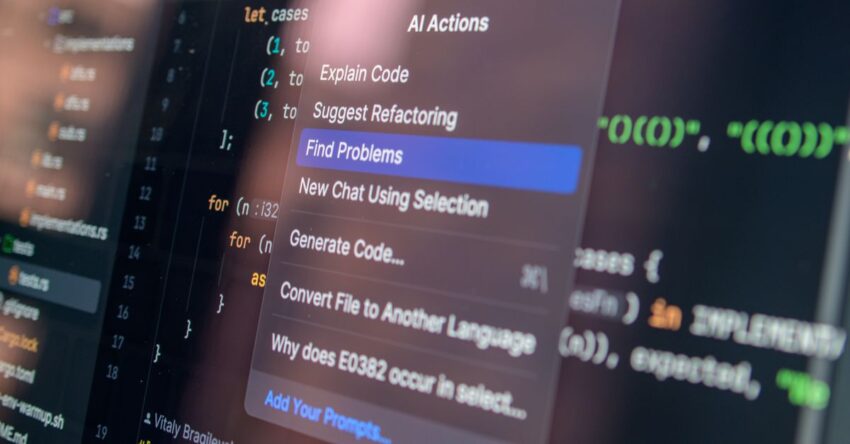
Software development has always been a blend of art and science. The latest wave of artificial intelligence is adding a new tool to the developer’s toolkit: AI‑generated code. From autocomplete suggestions that feel almost human to full‑function prototypes, these systems promise to cut coding time, reduce boilerplate, and lower entry barriers for newcomers. Yet, as with any transformative technology, there are pitfalls, ethical questions, and practical challenges that teams must confront. This article walks through the core concepts, real‑world use cases, and actionable steps for responsibly adopting AI code generators in your projects.
What Is AI‑Generated Code?
At its core, AI‑generated code refers to source code produced by machine learning models that have been trained on vast repositories of public code, documentation, and natural language descriptions. These models interpret a developer’s prompt,often a comment, function name, or incomplete snippet,and output syntactically correct, sometimes semantically meaningful, code that can be inserted directly into a project.
The most prominent examples today include:
- GitHub Copilot, powered by OpenAI Codex and trained on millions of GitHub repositories.
- Tabnine, which offers language‑agnostic completions based on the GPT‑3 family.
- Amazon CodeWhisperer, focused on AWS services and best practices.
- OpenAI’s Codex API, which developers can embed into custom IDE extensions.
The Technology Behind AI Coders
Large Language Models (LLMs)
LLMs like GPT‑4 are trained on billions of tokens of text, learning statistical patterns that allow them to generate plausible continuations. When applied to code, the model treats source files as structured text and learns syntax, idioms, and common design patterns.
Fine‑Tuning and Prompt Engineering
Fine‑tuning involves retraining a base model on a specific dataset,such as a company’s internal codebase,to align its output with organizational standards. Prompt engineering, on the other hand, is the art of crafting comments or partial code that guides the model toward desired outputs. For example, a comment like // Convert a list of strings to uppercase and sort them alphabetically can yield a fully functional function in many languages.
Inference Speed and Context Windows
Modern tools operate within a limited context window, typically 8,192 tokens. This means the model can consider only a certain amount of surrounding code, which influences the quality of suggestions in large files. Developers often work around this by providing concise prompts or using multi‑step generation.
Benefits for Developers and Teams
Accelerated Boilerplate Creation
Common patterns,such as setting up REST endpoints, writing unit tests, or configuring database migrations,are quickly scaffolded by the AI, freeing developers to focus on business logic.
Learning Aid for Newcomers
Students and junior engineers can observe how a language‑specific idiom is implemented, gaining insight into best practices without searching through documentation.
Cross‑Language Consistency
When a team works in multiple languages, AI can translate a function signature from one language to another, ensuring that the same logic is maintained across services.
Rapid Prototyping
Instead of writing a skeleton and then filling it in, developers can ask the model to generate a complete prototype, iterate on design, and refine the code before committing.
Real‑World Use Cases and Examples
Automated Test Generation
Copilot can generate unit tests based on function signatures, reducing the time required to create coverage maps. A recent internal audit at a fintech startup showed a 30% drop in manual test writing effort after integrating AI suggestions.
Infrastructure as Code (IaC) Assistance
Amazon CodeWhisperer can produce CloudFormation snippets that align with AWS best practices, helping DevOps engineers avoid common misconfigurations.
Legacy Code Refactoring
When refactoring a monolith, the AI can suggest modern patterns,such as replacing callback‑based code with async/await,by analyzing the surrounding context.
Documentation‑Driven Development
By feeding a README or design doc into the model, developers can generate starter code that adheres to the documented requirements.
Potential Risks and Limitations
Code Quality and Security Flaws
AI models may produce syntactically correct but semantically incorrect code. They can inadvertently introduce vulnerabilities, such as hard‑coded credentials or SQL injection points, if not carefully reviewed.
License and Intellectual Property Concerns
Since models are trained on public repositories, there is a risk that the output may resemble proprietary code, raising legal questions about ownership and reuse.
Overreliance and Skill Degradation
Teams that rely heavily on AI suggestions may see a decline in deep understanding of language internals, leading to brittle codebases when AI fails to provide the correct solution.
Context Window Constraints
Large functions or modules may exceed the model’s context window, resulting in incomplete or fragmented suggestions that require manual stitching.
Integrating AI Coders into Your Workflow
Step 1: Choose the Right Tool for Your Stack
- For JavaScript/TypeScript teams, GitHub Copilot offers extensive language support.
- Python developers may benefit from Tabnine or OpenAI Codex API.
- AWS‑centric teams should evaluate CodeWhisperer for IaC tasks.
Step 2: Set Up IDE Extensions and Permissions
Most AI tools provide plugins for VS Code, JetBrains, or Visual Studio. Ensure that the extensions are configured to use your organization’s API keys and adhere to data‑handling policies.
Step 3: Create a Prompting Convention
Define a set of comment patterns that signal the model to generate specific code. Example: // TODO: Implement OAuth2 authentication using AWS Cognito.
Step 4: Establish Review Workflows
Integrate AI‑generated code into pull‑request templates that require a manual review step. Use automated linters and security scanners to catch issues early.
Step 5: Iterate and Fine‑Tune
Collect feedback on model performance, and if your organization has a sizable codebase, fine‑tune a custom model to align with internal style guides.
Best Practices for Quality Assurance
Automated Linting and Testing
Run eslint, flake8, or equivalent tools on AI‑generated snippets before merging. Continuous integration pipelines should include unit tests and integration tests that cover newly added code.
Static Analysis for Security
Tools like Bandit for Python or CodeQL for multiple languages can detect patterns that the AI might overlook.
Manual Code Reviews
Peer review remains essential. Reviewers should focus on logic correctness, adherence to architectural principles, and potential edge cases.
Version Control Hygiene
Keep AI‑generated commits small and descriptive. Use commit messages that reference the prompt used, facilitating traceability.
Legal and Ethical Considerations
Copyright and Licensing
When using AI‑generated code, be mindful that the output might incorporate patterns from licensed repositories. Document the source of any code that is close to known patterns and consider seeking legal counsel if uncertainty arises.
Data Privacy
Avoid sending sensitive data,such as production passwords or personal user information,to third‑party AI services. Configure the tool to operate offline or use on‑premises models if privacy is a concern.
Bias and Accessibility
AI models can inadvertently produce biased logic or ignore accessibility best practices. Validate that generated UI code adheres to WCAG guidelines and that business logic does not reinforce discriminatory patterns.
Future Outlook and Emerging Tools
Fine‑Tuned Domain Models
Companies are investing in domain‑specific models that understand business rules and data schemas, leading to higher quality code generation.
Multimodal Code Generation
Future tools may accept diagrams, flowcharts, or natural language specifications and output complete codebases.
Integration with Low‑Code Platforms
Combining AI coding with low‑code frameworks can accelerate end‑to‑end application delivery, especially for rapid prototyping.
Regulation and Standardization
Industry bodies are beginning to draft guidelines for AI‑generated software, which will shape compliance requirements over the next few years.
Common Misconceptions About AI Code Generation
AI Is a Replacement for Developers
AI is a tool, not a substitute. Developers still need to understand the code they write, maintain architectural integrity, and manage project timelines.
Generated Code Is Always Correct
Even the best models can misinterpret ambiguous prompts, leading to bugs. Verification remains mandatory.
AI Eliminates the Need for Documentation
Code comments, design docs, and API specifications are still essential. AI can assist in generating boilerplate, but human oversight ensures clarity.
All AI Coders Are the Same
Different models have varying strengths: some excel at web frameworks, others at system programming. Choose based on language and domain fit.
Conclusion
AI‑generated code is reshaping the software development landscape, offering tangible productivity gains while introducing new responsibilities. By understanding the underlying technology, evaluating risks, and embedding robust review processes, teams can harness AI to augment their coding workflow without compromising quality or security. As the field evolves, staying informed about emerging models, regulatory guidance, and best‑practice frameworks will be key to maintaining a competitive edge while upholding the integrity of the code you deliver.