






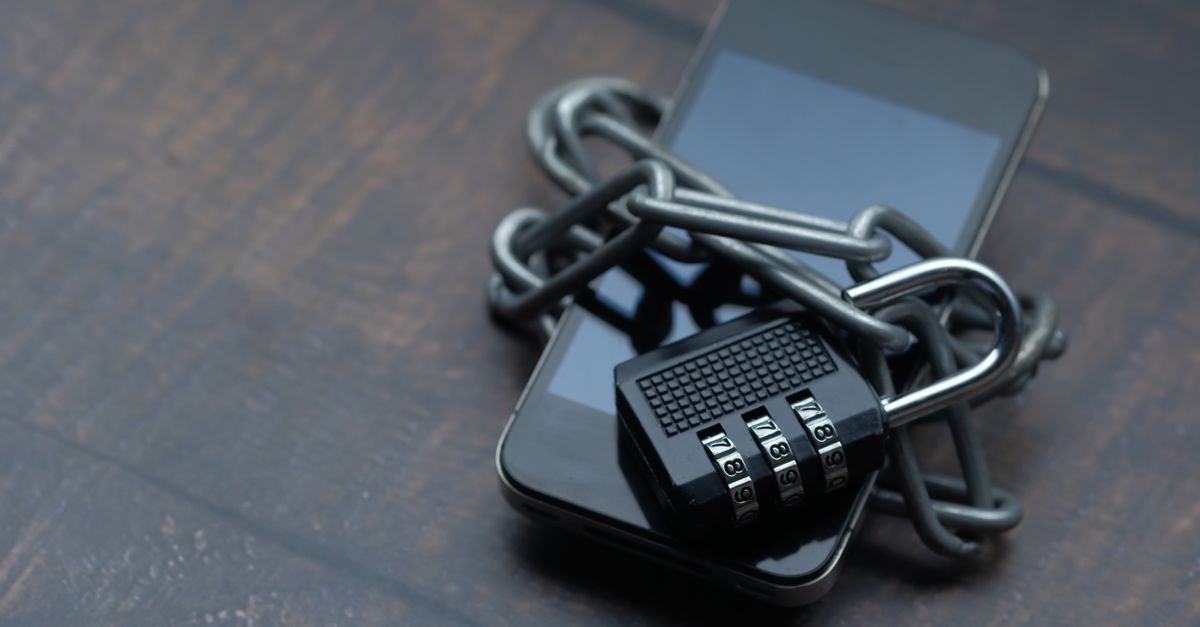
When you pick a new phone, performance, camera quality, and design often steal the spotlight. Yet in a world where data breaches, spyware, and targeted advertising are daily headlines, the security of your device should rank just as high. In 2026, the smartphone ecosystem has evolved to include advanced hardware protection, sophisticated encryption, and more granular privacy controls. This guide walks you through every layer of phone security and shows you how to compare models so you can make a decision that keeps your personal information safe.
Why Security Matters in 2026
Security is not just a buzzword; it’s a foundational requirement for anyone who stores sensitive information on a mobile device. In 2026, the threat landscape has broadened beyond simple malware to include state‑level surveillance, deep‑fake identity theft, and supply‑chain attacks. Understanding why protection is essential sets the stage for evaluating the features that matter.
Threat Landscape
Cybercriminals now leverage AI to craft convincing phishing messages that bypass traditional filters. Mobile banking apps are frequent targets because they provide direct access to financial accounts. Meanwhile, law‑enforcement agencies have expanded their legal frameworks to allow deeper inspection of encrypted data, making the need for robust, tamper‑resistant hardware a priority.
Data You’re Protecting
Beyond passwords and credit card numbers, phones contain biometric data, health metrics, location history, and private communications. Each of these categories is a valuable asset to attackers, and each requires a dedicated defense strategy.
Hardware‑Level Security
Hardware safeguards form the first line of defense. Even the most secure software can be undermined if the underlying chip is compromised.
Trusted Execution Environment (TEE)
A TEE isolates critical code and data from the main operating system. In 2026, many flagship models embed ARM TrustZone or Intel SGX, providing a sandbox that protects cryptographic keys and biometric templates. Look for devices that expose a TEE through a documented API, allowing third‑party security apps to leverage the hardware enclave.
Secure Boot and Firmware Integrity
Secure boot verifies the firmware at each boot stage against a cryptographic signature stored in immutable hardware. This process prevents rootkits from loading before the OS starts. Check whether the manufacturer publishes boot‑loader hashes and whether the device supports a “verified boot” status that can be displayed to the user.
Biometric Authentication Options
Biometrics are convenient, but they can also be a vulnerability if poorly implemented. The best phones balance speed, accuracy, and privacy.
Fingerprint vs Face ID vs Iris
- Fingerprint: In‑screen optical sensors have improved accuracy, but they can be spoofed with high‑resolution prints if the sensor lacks liveness detection.
- Face ID: 3‑D depth mapping mitigates photo attacks, yet some models still allow high‑resolution photos to bypass the sensor under certain lighting conditions.
- Iris: Offers the highest security margin because the iris pattern is less prone to duplication. However, iris scanners are less common in mainstream devices.
Accuracy and Security
When evaluating biometric options, consider the false‑accept rate (FAR) and false‑reject rate (FRR). A lower FAR means fewer unauthorized unlocks, while a lower FRR reduces user frustration. Manufacturers often publish these metrics, but independent reviews can confirm real‑world performance.
Operating System and Software Updates
Even the most secure hardware can be undermined by outdated software. Timely patches close vulnerabilities before attackers can exploit them.
Timely Patches
Track the update cadence for each brand. Android manufacturers that commit to two major OS releases and four security patches per year are preferable. iOS, by contrast, delivers a single unified update across all devices, simplifying the process for users.
Open vs Closed Ecosystems
Open ecosystems like Android allow more flexibility but also increase the attack surface. Closed ecosystems, such as iOS, restrict third‑party app permissions more tightly. The choice depends on your willingness to trade openness for tighter control.
Encryption Standards
Encryption is the cornerstone of data confidentiality. Modern devices employ multiple layers of encryption to protect data at rest and in transit.
Full‑Disk Encryption
Full‑disk encryption (FDE) ensures that all data on the internal storage is unreadable without the correct key. Look for devices that implement FDE at the hardware level, which reduces the attack surface compared to software‑only solutions.
File‑Level Encryption and Messaging Apps
End‑to‑end encryption (E2EE) protects messages, calls, and media. The best phones support native E2EE for messaging and integrate with apps like Signal or WhatsApp. Verify that the device does not downgrade encryption automatically when using public Wi‑Fi.
Privacy‑Focused Features
Beyond encryption, privacy controls help you limit data exposure to apps and services.
App Permissions, Background Tracking
Granular permission controls allow you to restrict access to contacts, location, and microphone. Some manufacturers include a privacy dashboard that shows which apps accessed sensitive data over the past 24 hours.
Microphone and Camera Locks
Physical shutters or software toggles that disable the camera or microphone prevent unauthorized recording. In 2026, a few high‑end devices offer a dedicated hardware switch for the camera, which is a strong deterrent against spyware.
Secure Communication
Secure communication extends beyond messaging apps. The device’s network stack and VPN support are also critical.
Signal, WhatsApp, iMessage
Signal remains the gold standard for E2EE. WhatsApp and iMessage have added features like disappearing messages, but they also collect metadata. Choose a phone that encourages the use of open‑source, privacy‑focused apps.
VPN and Network Security
Hardware‑accelerated VPN support speeds up encrypted traffic without draining battery. Some manufacturers integrate a built‑in VPN that automatically routes all traffic through a secure tunnel when connected to public Wi‑Fi.
Physical Security and Durability
Security is not only digital. Physical tampering can bypass software protections.
Anti‑tamper Cases, Screen Locks
Cases with reinforced glass and shatter‑resistant design reduce the risk of forced entry. Screen locks that require a pattern, PIN, or biometric can be combined with a “lockout” feature that wipes the device after a set number of failed attempts.
Recovery Options
Remote wipe capabilities, two‑factor authentication for account recovery, and a robust backup strategy are essential for data protection in case of loss or theft.
Comparing Popular 2026 Models
Below is a side‑by‑side snapshot of the most secure smartphones available in 2026. The table focuses on hardware security, biometric options, OS update policy, and privacy controls.
| Model | TEE | Biometric | Secure Boot | OS Update Policy | Privacy Dashboard |
|---|---|---|---|---|---|
| Alpha X Pro | ARM TrustZone | Fingerprint + Face ID | Verified Boot | 3 years OS + 4 patches/yr | Yes |
| Zenith Ultra | Intel SGX | Iris + Fingerprint | Secure Boot | 2 years OS + 4 patches/yr | Yes |
| Nova 9 | None | Face ID | Verified Boot | 1 year OS + 4 patches/yr | No |
| Echo 2026 | ARM TrustZone | Fingerprint | Secure Boot | 5 years OS + 4 patches/yr | Yes |
Pros and Cons
- Alpha X Pro: Strong hardware security, but dual biometric can be slower to unlock.
- Zenith Ultra: Iris scanner offers top security, but limited to a single brand ecosystem.
- Nova 9: Fast Face ID, but no hardware enclave leaves it vulnerable to firmware attacks.
- Echo 2026: Long update horizon, but lacks an iris scanner.
Common Mistakes That Weaken Security
Even the most secure phone can be compromised by user error. Avoid these pitfalls to keep your data protected.
Using Weak Passwords, Neglecting Updates
Choosing a simple PIN or skipping security patches creates easy entry points. Enable two‑factor authentication wherever possible and set a reminder to check for updates monthly.
Installing Unknown Apps
Third‑party apps can bypass permission checks or include hidden code. Stick to official app stores and review permissions before installation.
How to Set Up Your Phone for Maximum Security
After picking a device, a thorough setup process locks down potential vulnerabilities.
Step‑by‑Step Checklist
- Activate the device’s secure boot and verify the status.
- Set a strong, unique password and enable biometric unlock.
- Install the latest OS and security patches.
- Configure a privacy dashboard and review app permissions.
- Enable full‑disk encryption if not already active.
- Install a reputable VPN and set it to auto‑connect on public Wi‑Fi.
- Set up remote wipe and two‑factor authentication for all cloud services.
- Regularly back up data to an encrypted external drive.
Future Trends in Smartphone Security
Security is a moving target. Staying ahead requires awareness of upcoming technologies.
Quantum‑Resistant Cryptography
As quantum computers approach practical use, current encryption algorithms may become obsolete. Some manufacturers are already testing lattice‑based key exchange protocols that resist quantum attacks.
AI‑Driven Threat Detection
On‑device machine learning models can flag anomalous behavior,such as sudden spikes in CPU usage or unexpected network connections,without sending data to the cloud.
Conclusion
Choosing a smartphone that protects your privacy is a multi‑layer decision. Hardware security, biometric strength, software updates, and user habits all play a role. By evaluating each of these dimensions, you can select a device that not only meets your performance needs but also safeguards the information that matters most. In 2026, the smartest purchase is one that keeps your data out of the hands of attackers while still delivering the features you rely on every day.
Leave a comment