





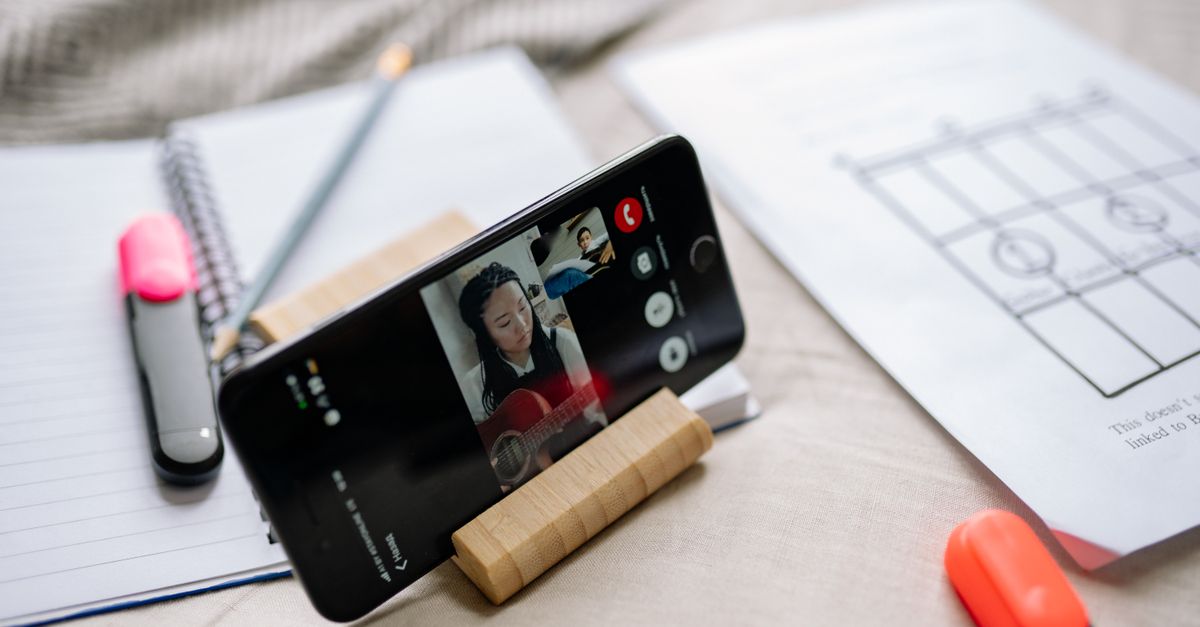
When the world shifted to online classrooms, the smartphone became the most accessible tool for students and teachers alike. In 2026, a growing number of learners rely on a single device to attend lectures, submit assignments, collaborate in real time, and manage their study schedules. Choosing the right phone is therefore a strategic decision that can influence academic performance, productivity, and overall digital well‑being.
Why Smartphones Are Key in Remote Learning
Unlike laptops, smartphones offer portability, instant connectivity, and a familiar interface that many users already master. They can run the same learning management systems (LMS) and educational apps that desktops use, yet they fit into a backpack or pocket. For students who travel between school, home, and extracurricular activities, a dependable phone can replace a full‑size computer. For teachers, a smartphone can be the hub for grading, grading, and communicating with students on the fly.
Core Features Every Educational Smartphone Should Have
Battery Life for All‑Day Use
Long lectures, video conferences, and multitasking apps drain battery quickly. Look for phones with at least 4500 mAh capacity, fast charging (25 W or more), and a proven battery health management system. Devices that support adaptive battery features can reduce background activity when the phone is idle, extending the life between charges.
Display Quality for Reading and Video
Eye strain is a common complaint among students. A 6.0‑inch or larger display with a resolution of 1080 × 2400 pixels or higher and a refresh rate of 90 Hz or more provides a smooth experience for reading PDFs, watching recorded lectures, and scrolling through e‑books. OLED panels offer deeper blacks and better contrast, while high brightness levels (500 cd/m² or more) are essential for outdoor use.
Processor and RAM for Multitasking
Simultaneous video calls, cloud‑based document editing, and real‑time collaboration tools demand a powerful CPU. A Snapdragon 8‑series or equivalent Apple A16 chip, paired with 6 GB or more of RAM, ensures that apps launch quickly and that multitasking feels seamless. For budget models, a Snapdragon 7‑series or MediaTek Dimensity 900 series with 4 GB RAM can still meet most academic needs.
Storage and Expandability
Course materials, lecture recordings, and multimedia projects can accumulate quickly. A minimum of 128 GB internal storage is advisable for students who store large video files or offline maps. If the device supports microSD expansion, it offers a cost‑effective way to increase capacity without replacing the phone.
Connectivity (Wi‑Fi, 5G, LTE)
Reliable internet is the backbone of remote learning. All modern smartphones support Wi‑Fi 6 (802.11ax) for faster local speeds, but 5G or LTE connectivity is crucial for areas with spotty Wi‑Fi. A phone that can switch seamlessly between 5G and Wi‑Fi ensures that classes do not drop mid‑lecture.
Security Features for Student Data
Student records and personal data must be protected. Look for built‑in biometric authentication (fingerprint or facial recognition) and secure enclaves that store keys and credentials. Devices that support encrypted file systems and regular security updates help safeguard sensitive information.
Operating System Considerations
Android vs iOS for Education
Android offers a wide range of price points and customizability. It supports multiple user profiles, which can be useful in shared devices or for teachers who need a separate work profile. iOS provides a streamlined experience, consistent updates, and a robust App Store with many educational apps. The choice often comes down to budget, ecosystem, and personal preference.
App Ecosystem and Compatibility
Before purchasing, verify that key educational platforms (Google Classroom, Microsoft Teams, Zoom, and the school’s LMS) are fully supported. Check for native apps that provide offline functionality, as students may need to review materials without constant connectivity.
Budget vs Premium: What to Expect
Premium models typically offer the best performance, display, and build quality, but they come with a higher price tag. Budget models can still meet the core requirements if you prioritize features that matter most for learning. The table below summarizes typical specs for budget, mid‑range, and premium categories.
| Category | Price Range (USD) | Key Specs |
|---|---|---|
| Budget | 150-250 | Snapdragon 7‑series, 4 GB RAM, 128 GB storage, 6‑inch LCD, 15 W charging |
| Mid‑Range | 250-400 | Snapdragon 8‑series, 6 GB RAM, 128-256 GB storage, OLED 90 Hz, 25 W charging |
| Premium | 400-700 | Snapdragon 8+ or Apple A16, 8 GB RAM, 256-512 GB storage, OLED 120 Hz, 30 W or 45 W charging, premium build |
Top Picks for Different User Profiles
Budget Student
Google Pixel 7a – Offers a clean Android experience, excellent camera, and guaranteed software updates for at least three years. Its 5G support and 4500 mAh battery make it a solid choice for students on a tight budget.
Mid‑Range Student
Samsung Galaxy S23 – Combines a 120 Hz Dynamic AMOLED display, 8 GB RAM, and 256 GB storage. Samsung’s One UI includes robust productivity tools and a reliable security suite.
Premium Student
Apple iPhone 15 Pro – Delivers a powerful A16 chip, ProMotion 120 Hz display, and a secure ecosystem. iOS’s seamless integration with Apple School Manager and the iPad ecosystem can enhance learning.
Teacher / Professor
Samsung Galaxy Note 23 Ultra – The large 6.7‑inch display, S‑Pen support, and 12 GB RAM make it ideal for note‑taking, grading, and multitasking during virtual lectures.
Educator in Developing Regions
OnePlus Nord 3 – Offers 5G connectivity, a 120 Hz display, and a 5000 mAh battery at an affordable price. OnePlus’s OxygenOS is lightweight, which is beneficial in areas with limited bandwidth.
Practical Tips for Setting Up a Learning Phone
Parental Controls and Family Link
For younger students, use Google Family Link or Apple Screen Time to set daily usage limits, filter content, and monitor app permissions. These tools help maintain focus during study periods.
Classroom Apps and Collaboration Tools
Install the school’s LMS app, note‑taking apps (OneNote, Evernote), and collaboration suites (Google Workspace, Microsoft 365). Configure push notifications to stay updated on assignment deadlines.
Cloud Storage and Backup
Use cloud services such as Google Drive, OneDrive, or iCloud to automatically back up documents. Enable two‑factor authentication to protect against unauthorized access.
Accessibility Features
Activate screen readers, magnification gestures, and high‑contrast modes if needed. These features can significantly improve usability for students with visual impairments.
Common Mistakes to Avoid
Overlooking Software Updates
Many devices stop receiving updates after two years. A phone that no longer receives security patches can expose students to vulnerabilities. Check the manufacturer’s update policy before buying.
Ignoring Battery Health
Fast charging can degrade battery life if used excessively. Use the phone’s built‑in battery health monitoring to keep charge cycles in check. Consider using a power bank for extended study sessions.
Neglecting Security Settings
Enable biometric lock, two‑factor authentication, and app‑specific permissions. Disable location services for apps that do not require them, and use a VPN in public Wi‑Fi environments.
Future‑Proofing Your Choice
Upcoming Features (e.g., 6G, Foldable)
While 6G is still in development, many manufacturers are already testing 6G modules. Choosing a phone that supports the latest Wi‑Fi 6E and 5G bands ensures compatibility with future infrastructure. Foldable phones offer larger displays for note‑taking but come at a premium price.
Software Support Lifespan
Manufacturers like Google, Apple, and Samsung typically offer three to five years of OS updates. A longer support window means the device remains secure and compatible with new educational apps.
Conclusion
In 2026, the smartphone is more than a communication tool; it is a portable classroom. By focusing on battery life, display quality, processing power, and security, students and teachers can select a device that supports their academic goals without compromising performance. Whether you’re a budget‑conscious student, a tech‑savvy teacher, or an educator in a developing region, the right phone can streamline learning, enhance collaboration, and keep you connected to the digital world. Choose wisely, set up your device thoughtfully, and let the phone become an ally in your educational journey.
Leave a comment