






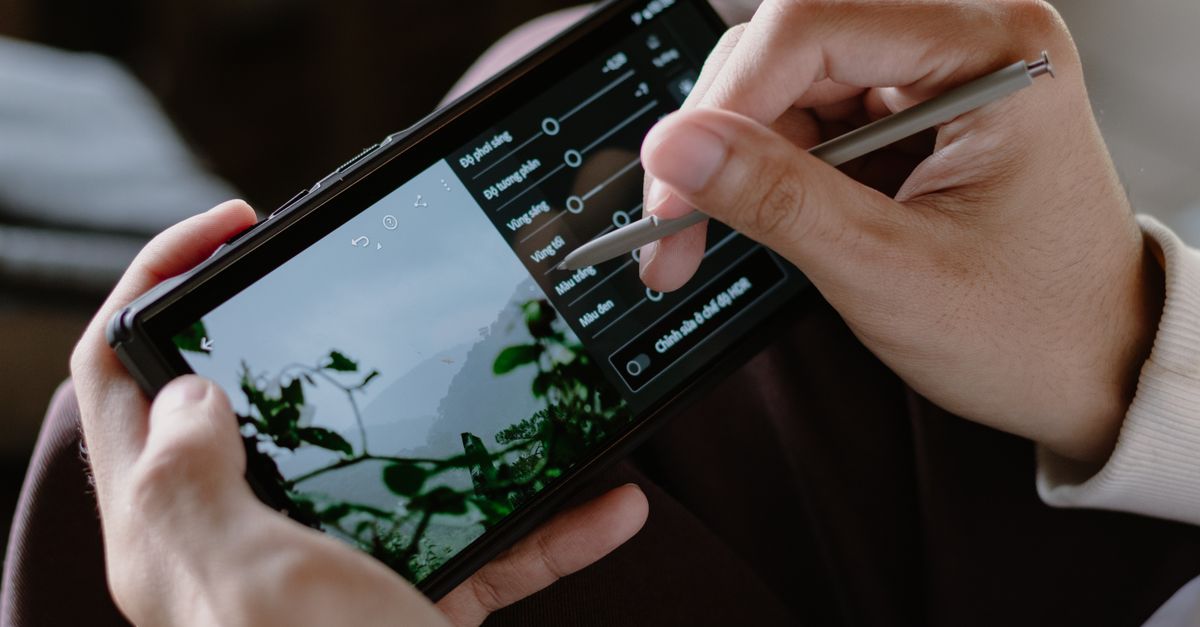
In the past decade, the line between professional and consumer video production has blurred. With high‑resolution sensors, powerful processors, and sophisticated editing apps, it is now possible to shoot, edit, and share polished footage from a single device. Whether you’re a vlogger, a freelance editor, or a hobbyist who loves to capture moments on the move, choosing the right smartphone can save you time, money, and frustration.
Why Mobile Video Editing Is Growing
Video content dominates social media, streaming services, and marketing channels. Creators demand flexibility: shoot in the field, edit on the go, and publish instantly. Smartphones have evolved from simple cameras to full‑featured editing suites. The trend is not a niche; it is a mainstream workflow for many professionals who need to produce content quickly.
Key Features to Consider When Editing Videos on a Phone
When a phone is your primary editing tool, the following hardware and software aspects become critical:
- CPU and GPU – Multi‑core processors and advanced GPUs handle decoding, rendering, and effects in real time.
- RAM – 8 GB is the bare minimum; 12 GB or more is ideal for multitasking and large projects.
- Internal Storage – 128 GB is the lower bound; 256 GB or higher is preferable for raw footage and project files.
- Display Quality – HDR, high contrast, and accurate colors help you judge edits before export.
- Battery Capacity – Editing drains power quickly; look for 4000 mAh or larger with fast charging.
- Camera System – High‑resolution sensors, optical image stabilization, and multiple lenses enable versatile shooting.
The Role of Software: Editing Apps and Their Requirements
Popular mobile editors such as Adobe Premiere Rush, LumaFusion, KineMaster, and Davinci Resolve Mobile have distinct system requirements. They demand a certain level of processing power, RAM, and storage to run smoothly. When evaluating a phone, check the app’s recommended specifications and test it with a sample project before purchasing.
Camera Quality: Resolution, Frame Rates, and Sensor Size
Even if the editing app is powerful, the source footage determines the final quality. Look for:
- Resolution – 4K (3840 × 2160) is now common; 6K and 8K are emerging but require more storage.
- Frame Rates – 30 fps is standard; 60 fps offers smoother motion and better slow‑motion options.
- Sensor Size – Larger sensors (1/1.7″ or larger) capture more light and deliver better low‑light performance.
- Stabilization – Optical image stabilization (OIS) reduces shakiness, especially in handheld shots.
Performance Benchmarks: Real‑World Editing Tests
Benchmarks such as Geekbench 5, AnTuTu, and real‑world editing tests provide insight into how a phone handles video tasks. A typical test might involve:
- Importing a 4K clip and applying color grading.
- Adding transitions and overlay graphics.
- Exporting to 1080p or 4K.
Phones that score high on multi‑core CPU performance and GPU benchmarks usually export faster and with fewer glitches.
Storage Solutions: Expandable vs Internal, and File Management
Most premium smartphones no longer support microSD cards. Therefore, internal storage becomes the primary concern. Here are strategies to manage space:
- Use cloud services for backup and off‑loading.
- Employ external SSDs via USB‑C OTG for large projects.
- Delete unused apps and cached data regularly.
Battery Life During Heavy Editing Sessions
Editing is a power‑hungry activity. A phone with a 5000 mAh battery and 30 W fast charging will typically last a full day of moderate editing. Look for:
- Battery‑saving modes that reduce background activity.
- Heat‑management features to prevent throttling.
- Fast charging support (USB‑C 30 W or higher).
Connectivity: USB‑C, OTG, and External Accessories
Connecting external drives, microphones, or displays can extend a phone’s capabilities. Key points:
- USB‑C with Thunderbolt 3 support allows high‑speed data transfer and external GPU (eGPU) compatibility.
- OTG support enables connection of flash drives and other peripherals.
- Wireless accessories like Bluetooth microphones can be useful, but latency may affect live editing.
Durability and Build Quality for On-the-Go Editing
When shooting in varied environments, a rugged build can prevent costly repairs. Consider:
- Water and dust resistance (IP68 or higher).
- Shock‑resistant chassis or protective cases.
- Heat dissipation design to avoid performance throttling.
Budget vs Premium: Which Phone Offers the Best Value?
Premium phones deliver the best specs but come at a higher price. Mid‑range models often offer a compelling balance of performance, camera quality, and cost. When choosing, evaluate:
- Price per performance metric (e.g., price per GHz).
- Availability of software updates over time.
- Resale value if you plan to upgrade frequently.
Top 5 Smartphones for Video Editing in 2026
Below is a curated list of phones that excel in the areas most important to mobile editors. The comparison table summarizes key specs and price points.
| Phone | CPU | GPU | RAM | Internal Storage | Camera | Battery (mAh) | Price (USD) |
|---|---|---|---|---|---|---|---|
| Samsung Galaxy S24 Ultra | Exynos 2400 (Octa‑core) | Mali‑G710 MP | 12 GB | 256 GB / 512 GB | 108 MP main + 12 MP tele + 10 MP ultrawide | 5000 | 1399 |
| Google Pixel 8 Pro | Tensor G3 (Octa‑core) | Adreno 740 | 12 GB | 256 GB / 512 GB | 50 MP main + 48 MP tele + 12 MP ultrawide | 5000 | 1299 |
| OnePlus 12 Pro | Snapdragon 8 Gen 3 (Octa‑core) | Adreno 740 | 12 GB | 256 GB / 512 GB | 50 MP main + 48 MP tele + 32 MP ultrawide | 5000 | 1199 |
| Apple iPhone 16 Pro | A17 Bionic (Hexa‑core) | Apple GPU 5‑core | 16 GB | 256 GB / 512 GB / 1 TB | 48 MP main + 12 MP tele + 12 MP ultrawide | 4800 | 1499 |
| Xiaomi Mi 14 Ultra | Snapdragon 8 Gen 3 (Octa‑core) | Adreno 740 | 12 GB | 256 GB / 512 GB | 200 MP main + 48 MP tele + 48 MP ultrawide | 5000 | 1099 |
Samsung Galaxy S24 Ultra
The S24 Ultra offers a balanced mix of power, camera versatility, and a large, high‑refresh‑rate display. Its 108‑MP sensor captures stunning detail, and the 120 Hz screen makes color grading smoother.
Google Pixel 8 Pro
Pixel’s software advantage shines in video stabilization and color science. The Tensor G3 chip delivers efficient performance, and the clean Android experience is ideal for developers who build custom editing workflows.
OnePlus 12 Pro
OnePlus delivers flagship specs at a slightly lower price. Its 50‑MP sensor and 120 Hz AMOLED display provide excellent image quality and a responsive editing interface.
Apple iPhone 16 Pro
Apple’s ecosystem is a boon for editors who rely on Final Cut Pro and other macOS tools. The A17 Bionic chip handles 4K editing effortlessly, and the ProMotion display offers 120 Hz smoothness.
Xiaomi Mi 14 Ultra
With a 200‑MP sensor, the Mi 14 Ultra pushes the limits of smartphone photography. Its 120 Hz display and Snapdragon 8 Gen 3 processor make it a strong contender for high‑resolution video editing.
Common Mistakes to Avoid When Choosing a Video Editing Phone
- Assuming a high‑resolution camera guarantees edit‑ready footage. Low‑light performance and color accuracy matter more.
- Underestimating the importance of RAM. 8 GB can bottleneck editing apps, especially when multitasking.
- Ignoring software updates. A phone that receives regular updates will stay compatible with new editing apps longer.
- Overlooking battery life. A phone that shuts down mid‑edit can ruin a project.
- Choosing a phone solely based on price. A cheaper model may lack the GPU power needed for real‑time rendering.
Tips for Optimizing Your Phone for Editing
- Keep the operating system and apps up to date to benefit from performance patches.
- Disable background services that consume RAM.
- Use an external SSD via USB‑C OTG for large media libraries.
- Enable “Night Mode” or “Low Power Mode” only when necessary, as it can reduce performance.
- Consider a cooling case if you plan to edit for extended periods.
Future Trends: 6K Video, AI Editing, and Foldable Screens
Manufacturers are already announcing 6K video capabilities in flagship phones. AI‑driven editing features, such as automated color grading and scene detection, will further simplify the workflow. Foldable screens offer larger real estate for editing timelines, potentially making the phone feel more like a tablet.
Conclusion
Choosing a smartphone for video editing is a balance between hardware power, camera quality, software support, and budget. The 2026 models highlighted above provide a range of options for every type of mobile editor. By focusing on CPU/GPU performance, ample RAM, high‑resolution cameras, and reliable battery life, you can ensure that your phone remains a dependable editing partner, no matter where your creativity takes you.
Leave a comment